Nomad 3 · Volume 1
Nomad 3 — Overview: An Enclosed Desktop CNC Mill
1.1 What the Nomad 3 is
The Carbide 3D Nomad 3 is a fully enclosed desktop CNC mill: a small, self-contained three-axis milling machine that lives on a bench or a sturdy desk, plugs into a normal wall outlet, and cuts real parts out of aluminium, plastic, wood, and copper-clad PCB blanks. “CNC” is computer numerical control — the machine follows a program of coordinated moves (G-code) rather than being cranked by hand. “Mill” means the cutting tool spins while the workpiece is held still and moved beneath it, removing material to leave the shape behind. The Nomad packs that idea into a closed box roughly the size of a large microwave, and the box is the whole point: it contains the chips and the noise so the machine can run in a home, an office, or a shared workspace without showering the room in swarf or sounding like a shop vac.
Carbide 3D positions the Nomad 3 as the precision, metal-capable member of its lineup, sitting alongside the larger open-frame Shapeoko routers. Where a router is built to cover a big, flat area quickly in soft material, the Nomad is built to hold a tight tolerance over a small area in harder material. It ships with a genuinely complete toolchain — design software, CAM (the step that turns a drawing into toolpaths), a machine controller, a touch probe for setting up work, and a starter set of tooling — so a capable maker can go from an unopened box to a finished aluminium part without buying anything else first.
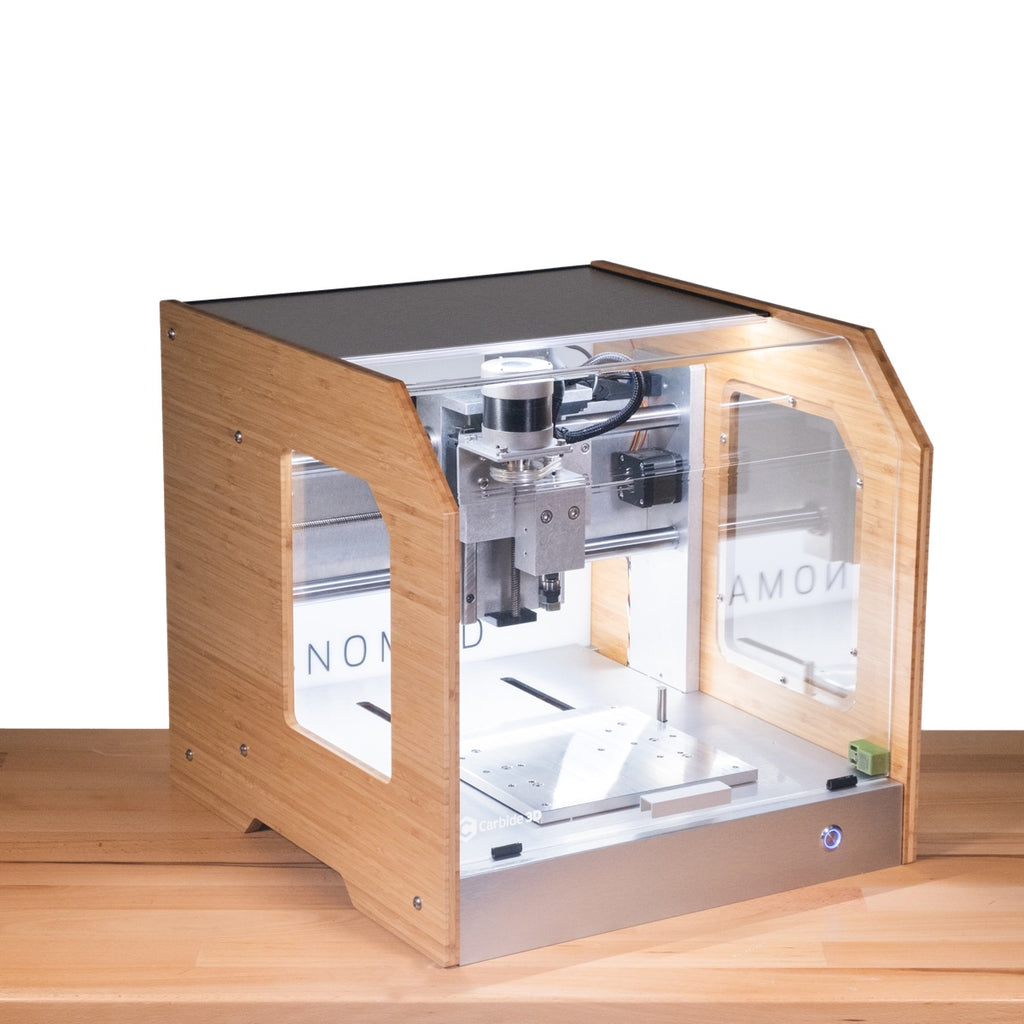
For a maker or EE, the mental model that helps most is this: the Nomad is a machinist’s tool wearing a desktop form factor. It does not have the mass or the horsepower of a knee mill or even a benchtop mini mill, so it will not hog through steel. But within its envelope it is stiff, repeatable, quiet, and clean, and it removes the two biggest barriers that keep people from milling their own metal parts at home: mess and process knowledge. The enclosure handles the mess. The bundled software and the automatic probing handle a lot of the process.
1.1.1 A note on lineage
The Nomad 3 is the third generation of Carbide 3D’s desktop mill, following the original Nomad and the Nomad 883 Pro. Understanding that lineage explains a lot about the machine’s character. Each generation kept the same essential recipe — a small, enclosed, ER-collet mill with automatic tool-length probing and a complete software bundle — and spent its engineering effort on rigidity and refinement rather than on making the machine bigger or faster. The Nomad 3 specifically brought stiffer 20 mm linear rails on the X and Y axes (up from 16 mm), an upgraded profile rail on the Z axis, a reworked spindle with better bearings, inductive homing switches, and internal lighting. None of those are headline-grabbing features, and that is the point: the machine’s evolution has been a steady tightening of the same well-chosen concept, which is exactly the trajectory that produces a tool that just works rather than one that impresses on a spec sheet and frustrates in use.
1.2 The enclosure, and why it matters
Most hobby CNC machines are open frames — an exposed gantry riding over an open bed. That is fine in a garage but a non-starter in a spare room. Milling throws chips. Milling aluminium throws sharp, hot little chips at speed, and milling anything makes a fine dust that a router’s high spindle speeds turn into an airborne haze. An open machine spreads all of that across the bench and the floor.
The Nomad 3 closes the loop. The machine is wrapped in a sealed shell of either HDPE or bamboo panels with a clear front door, and the working volume is entirely inside. Chips stay in the tray. Dust stays in the box. Sound stays down — the combination of a purpose-built low-speed spindle and the panels themselves means the machine hums rather than screams, quiet enough to sit a few feet away while it works. The door is interlocked, so opening it mid-job is a deliberate act rather than an accident. Internal lighting means the operator can actually watch the cut through the window, which matters more than it sounds: watching (and listening to) a cut is how a machinist learns whether the feeds and speeds are right.
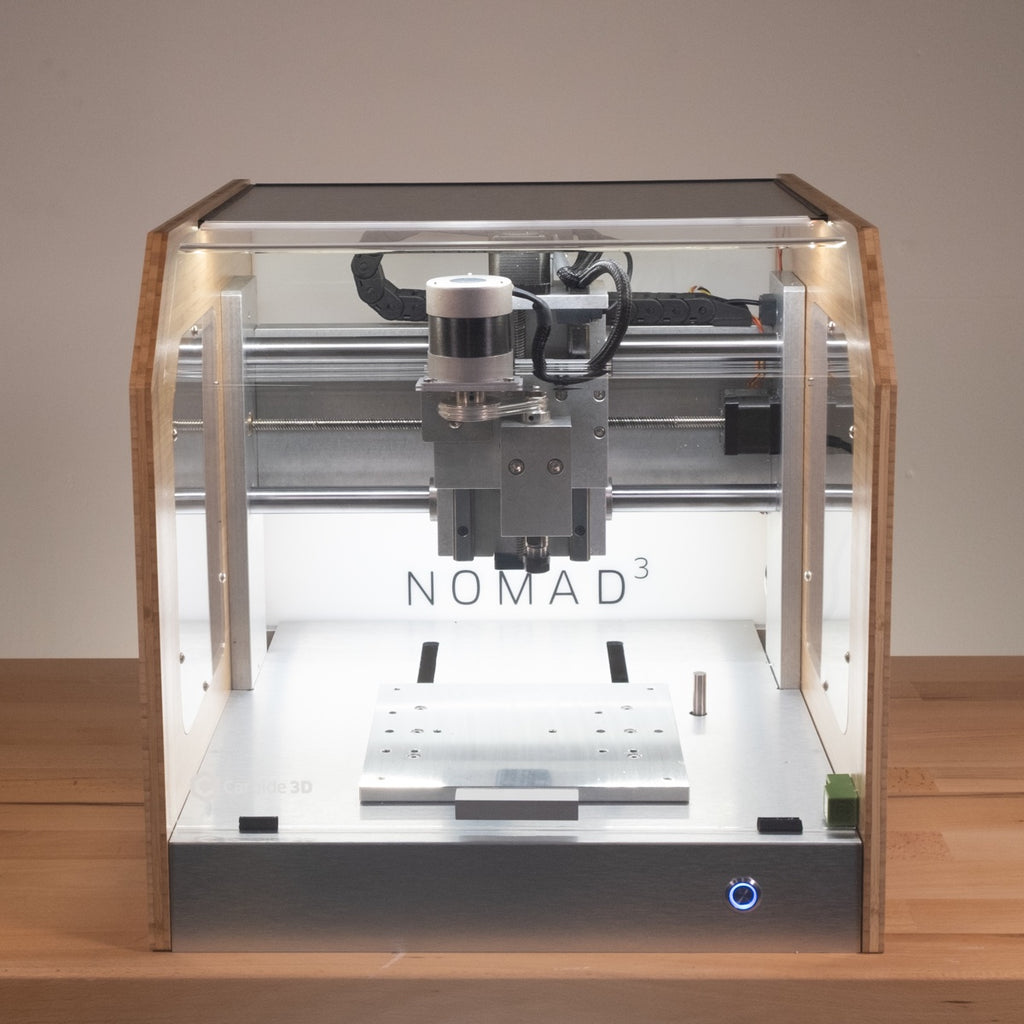
That containment is what makes the Nomad a desktop machine in more than name. It is the difference between “I have a CNC mill in the garage that I fire up on weekends” and “I have a CNC mill on the bench that I use for twenty minutes between other tasks.”
1.3 Where it fits in this shop — Nomad vs. Shapeoko
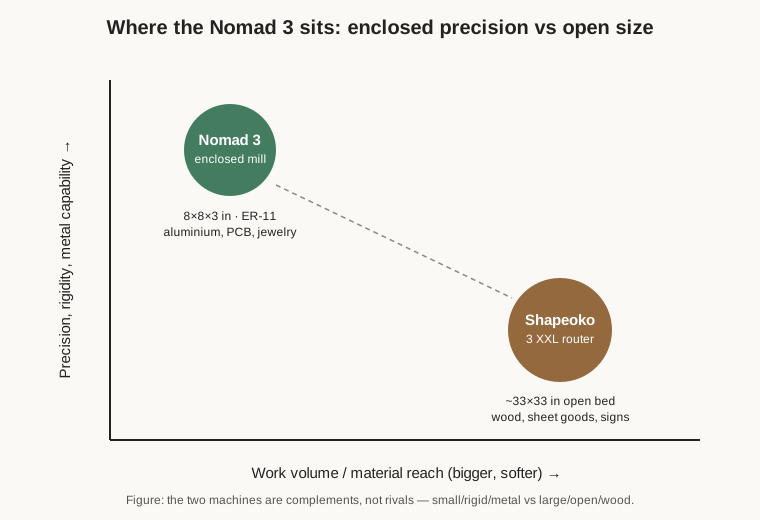
This shop runs two Carbide 3D machines side by side, and they are deliberately complementary rather than redundant. The other machine is a Shapeoko 3 XXL, a large open-frame CNC router with a working area of roughly 33 by 33 inches. Understanding why both earn bench space is the fastest way to understand what the Nomad is for.
A router like the Shapeoko is optimised for area and speed in soft material. Its trim router spindle runs tens of thousands of RPM, its bed is huge, and it will surface a big slab of hardwood, cut a guitar body, or carve a sign faster than anything else in the shop. What it is not, is rigid or contained. The open gantry flexes a little, the bed is exposed, and while a Shapeoko can absolutely cut aluminium with care, it is happiest in wood, plywood, MDF, foam, and plastics.
The Nomad inverts every one of those priorities. It is small, it is stiff, and it is closed. The whole machine is built around keeping the cutter close to a well-supported bed so it can push a small endmill through metal without chattering. It gives up size and outright speed to get precision, rigidity, and a clean enclosure. The two machines split the work naturally: anything big, flat, and wooden goes on the Shapeoko; anything small, precise, and metal goes on the Nomad.
There is a second, subtler difference in workflow rigidity. On the open router, setting a job up — squaring the stock, finding the corner, zeroing the tool — is a manual, eyeball-and-feel affair. The Nomad automates the fussy parts. It has a fixed tool-length probe that measures every tool automatically, and it ships with a BitZero touch probe that finds the corner and top of the stock electronically. That makes the Nomad the machine you reach for when the part has to come out right, not just big.
It is worth stating plainly that neither machine makes the other redundant. A shop that only owned a Shapeoko would find itself fighting the open router every time it needed a precise little aluminium part, wrestling with chip control and chatter and manual zeroing. A shop that only owned a Nomad would be unable to cut anything larger than a paperback and would burn a small mill’s limited spindle life on soft-material jobs that a router does in a fraction of the time. Owning both means every job goes on the machine actually built for it, which is why this shop keeps the pair rather than trying to make one machine do everything. The Nomad’s 8-inch bed is not a compromise the shop tolerates; it is the deliberate boundary that lets the machine be excellent at the narrow thing it does.
1.3.1 Why a mill and not a 3D printer
Makers who already own a 3D printer sometimes ask why a small mill earns bench space at all. The answer is that milling and printing are opposite processes that produce opposite kinds of parts. A printer is additive — it builds a part up layer by layer, which is brilliant for complex geometry and hollow shapes but leaves a part that is only as strong as the bond between its layers, in whatever plastic the printer runs. A mill is subtractive — it starts from a solid block of exactly the material you want and carves the part out, so the result is a fully dense, isotropic part in real aluminium, brass, Delrin, or copper, with a machined surface finish and tolerances a printer cannot touch. When the part has to be strong in every direction, dimensionally precise, electrically or thermally conductive, or simply metal, the mill is the only answer. The two machines are complements in the same way the Nomad and the Shapeoko are: the printer for complex plastic geometry, the mill for precise dense parts in real materials.
1.4 What the Nomad 3 actually makes
The honest scope of a desktop mill is small precision parts, and the Nomad is very good at exactly that. A representative day’s work:
- Aluminium parts. This is the headline capability. Brackets, spacers, motor mounts, faceplates, adapter plates, small mechanical components in 6061 aluminium and brass — the kind of part that would otherwise be an eyeballed hand-file job or an expensive one-off order. The Nomad’s rigidity and enclosure make aluminium a routine material rather than a heroic effort.
- Enclosures and panels. Milling a clean pocket into a block, or cutting precise cutouts and mounting holes into an aluminium or plastic panel for a piece of electronics, is squarely in the Nomad’s wheelhouse. A machined enclosure looks and fits in a way a drilled-and-filed one never quite does.
- PCBs. The Nomad can isolation-mill printed circuit boards — cutting the copper traces of a single- or double-sided board out of a copper-clad blank. Carbide even bundles PCB-specific software (Carbide Copper) for exactly this. For an EE who wants a prototype board tonight instead of in two weeks, this is a genuine draw, and the enclosure keeps conductive copper dust off the rest of the bench.
- Jewelry, engraving, and small 3D work. Wax and metal jewelry blanks, engraved plates and tags, name badges, small sculpted reliefs — the machine’s precision and its included 3D CAM (MeshCAM) cover fine detailed work in wax, brass, and soft metals.
- Plastics. Delrin, acrylic, HDPE, polycarbonate, PEEK — machined gears, jigs, knobs, custom fittings. Plastics cut cleanly and quickly, and the enclosure catches the stringy swarf that plastics love to make.
What it is not is a production machine or a steel machine. The work area is about 8 by 8 by 3 inches, so parts are palm-sized, not project-sized. And while the Nomad can touch steel with the right tooling, patience, and shallow cuts, steel is at the very edge of what a machine this light should be asked to do — aluminium is where it is genuinely comfortable. Setting those two expectations correctly is the difference between loving the machine and being frustrated by it.
1.5 The complete package
Part of what distinguishes the Nomad from a bare-frame hobby CNC is that Carbide sells it as a finished, supported product rather than a kit of parts. In the box, alongside the assembled machine, are the software and the essentials needed to start cutting: Carbide Motion (the machine controller that streams the job to the mill), Carbide Create (Carbide’s own 2D CAD/CAM), MeshCAM for 3D toolpaths, Carbide Copper for PCB work, and on Windows an Alibre Workshop parametric CAD license. Physically it includes an MDF wasteboard, a 1/8-inch ER-11 collet and the wrenches to use it, a ball-nose and a flat endmill to cut with, double-sided tape for workholding, and the BitZero V2 work probe. Carbide also bundles a set of short one-on-one training sessions to get a new owner over the first-project hump.
That matters because the classic failure mode of hobby CNC is not the hardware — it is the gap between owning a machine and knowing how to design a part, generate a toolpath, hold the stock down, pick a feed and speed, and set the zero. The Nomad narrows that gap deliberately. The software is all installed locally and runs without a cloud login, the probing takes the guesswork out of setup, and the whole thing arrives calibrated and ready. For a shop that already has an open router for the big soft work, adding the Nomad is less about buying a second machine and more about unlocking a whole category of small, precise, metal parts that the router was never the right tool for.
1.5.1 The practical case for owning one
It is worth being honest about the economics, because a desktop mill is a considered purchase rather than an impulse one. The Nomad is not the cheapest way to get a CNC machine — a bare open-frame kit costs a fraction as much — and it is not the fastest or the largest. What the price buys is a machine that arrives working, stays clean and quiet enough to live indoors, and cuts metal reliably without the owner having to become a machine-builder first. For a maker whose time is worth more than the difference, that is a sensible trade: the hours not spent squaring a gantry, chasing chatter, tuning a controller, or cleaning aluminium chips off the floor are hours spent actually making parts.
The other half of the case is what the machine makes possible rather than merely cheaper. Being able to mill an aluminium bracket, a machined enclosure, or a prototype PCB on the bench, tonight, changes how a project unfolds. Designs stop being constrained by what can be ordered or 3D-printed and start being constrained only by what fits in an 8-inch envelope. That shift — from “what can I buy or print” to “what can I machine” — is the real return on a desktop mill, and it is why the Nomad has earned a permanent place on this shop’s bench next to the router that handles everything too big or too soft for it.
One more point rounds out the picture of the Nomad as a finished product: it is a supported machine with an active community behind it, not an orphaned kit. Carbide maintains the software, publishes documentation and feeds-and-speeds recipes, and runs a busy community forum where owners share tested settings, workholding tricks, and project results. For a maker learning the craft of milling, that ecosystem is as valuable as any hardware feature — most of the questions a new owner will have are already answered somewhere, by someone who cut the same material on the same machine.
The volumes that follow go deeper: Volume 2 dissects the machine itself — enclosure, axes, spindle, collets, probing, and material limits. Volume 3 walks the software and the day-to-day workflow, including feeds and speeds for aluminium and how to hold work down. Volume 4 collects representative projects, a full specifications table, maintenance notes, and where to go for reference.
Comments (0)